CONTEXTE.H. Wachs, an ITW company · Manufacturing Engineering Internship · April–August 2026
STATUSBuilt and operational, published to its hosting environment. Floor-adoption and error-reduction outcomes were not measured during the internship, so none are claimed.
MY ROLEIdentifier and URL architecture, integration into the existing work-instruction generator, publishing pipeline, revision cross-checking, failure-mode design, credential remediation, and handover documentation.
TOOLSPython · PyMuPDF · python-pptx · qrcode · GitHub REST API · static site hosting · regex document parsing
SCALE100+ live status pages published and reconciled
Problem
Work instructions live on the shop floor as printed documents, but revisions are issued continuously in engineering. That gap is a quality and audit exposure: an operator can be working from a printout superseded months ago with no indication anything is wrong.
Moving every work instruction online was under consideration, but the floor's established workflow is paper-based, and digital-only access would have slowed the people doing the actual assembly work. Both positions were correct — the revision risk was real, and so was the workflow cost.
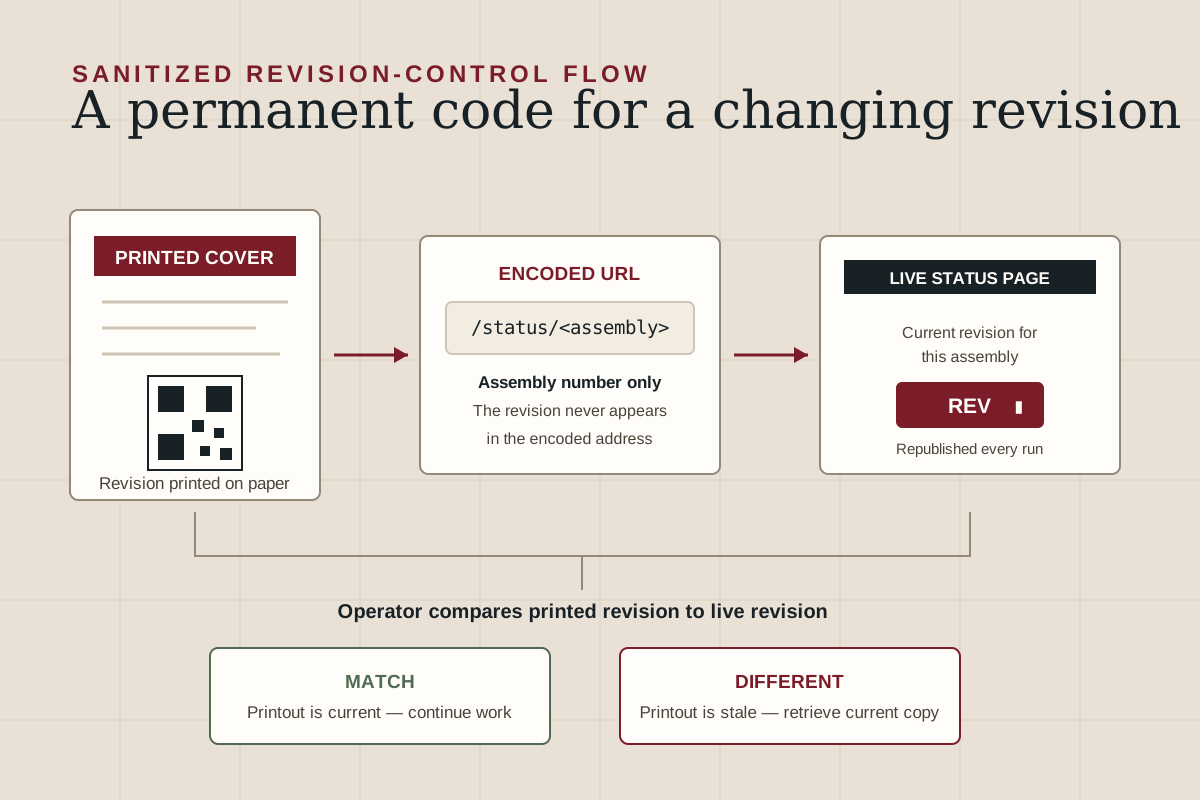
I built the option that satisfied both. Operators keep working from paper exactly as before; every printed cover carries a QR code that resolves to the current revision for that assembly. Traceability is guaranteed without changing how anyone works.
The decision the system hinges on
The URL encoded in each QR code is derived from the assembly number alone. The revision never appears in it.
This is what makes the system work on physical paper. A code printed on revision C is byte-identical to one printed on revision D — same image, same URL — and only the page behind it changes. An operator holding an outdated printout scans their own code and is told the current revision, which is precisely the failure the system exists to catch.
Keying URLs to revisions instead inverts the behavior into something actively dangerous: a stale printout would resolve to its own matching stale page and confidently report itself as current. Because these codes are printed onto paper distributed across a facility, the choice is effectively irreversible once documents are in circulation — changing the scheme later would mean reprinting the entire catalog.
Constraints
- Printed codes must stay valid across all future revisions, with no reprinting
- The floor's existing paper workflow must not change
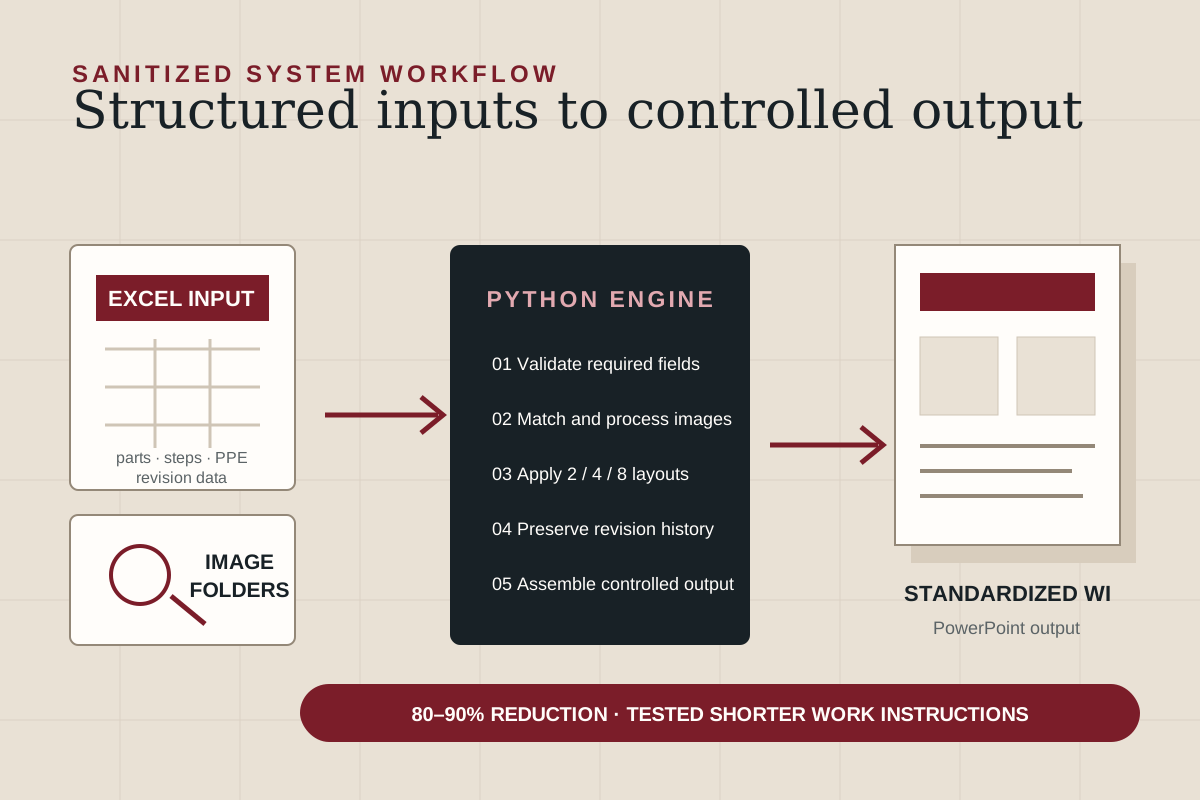
- Integrate into the existing Python work-instruction generator rather than replacing it
- Fail safe: never present an invented or stale revision as authoritative
- Survive personnel turnover without invalidating printed documents
Failure-mode design
Ordering and failure handling were treated as first-class design concerns rather than error handling:
- Publishing happens only after the document saves successfully, so a failed save can never leave a live page advertising a revision that was never released
- The system refuses to publish when no revision can be determined rather than substituting a default — an invented revision on a shop-floor-facing page is worse than no page at all
- Status pages refresh on every generator run regardless of whether that document carries a code, because codes printed on earlier revisions remain in circulation
- A fallback page handles any unpublished or mistyped URL, explicitly telling the operator that the absence of a record does not imply their copy is current, and directing them to verify through engineering records
Automated revision cross-checking
Document parsing extracts revision data from released work-instruction PDFs and from controlled engineering drawings on network storage, compares the two, and renders a status banner flagging documents that have fallen behind their drawing — surfacing revision drift that previously went undetected. Multi-variant instructions carrying a revision matrix rather than a single revision are detected and handled separately, with the relevant matrix rendered inline for manual verification.
Continuity and credential hygiene
Because every QR code encodes a hostname derived from the hosting account, that account name is permanently embedded in printed documents. The inherited system was hosted on an individual employee's personal account — an arrangement that would have invalidated every printed code the moment that person left, with no remedy short of reprinting the catalog. I migrated it to an organization-owned account with institutional credentials and documented recovery procedures, then republished the full catalog to the new location.
I also remediated a hardcoded API token found in the inherited source, moving authentication to an environment variable with a controlled fallback, and produced a formal IT provisioning request covering credential storage, token scoping, and rotation.
What I learned
The strongest technical decision here was not the implementation — it was recognizing which choice was irreversible and reasoning about it before any paper was printed. The alternative URL scheme looks reasonable at first glance and fails in exactly the case the system exists to protect against. Physical artifacts make software decisions permanent in a way deployment does not, and that changes how much analysis a decision deserves up front.